
Common PDL Mistakes In Google Workspace And How To Avoid Them


Partial Domain Licensing lets Google Workspace admins assign different editions to different users within the same organization. It sounds straightforward enough: give your executives Business Plus or Enterprise licenses while keeping the rest of your team on Business Standard. But the reality of managing mixed editions gets messy fast, and those complications often don't surface until you're already dealing with storage overages, security gaps, or compliance issues.
Most organizations stumble into the same preventable mistakes when setting up tiered licensing. They make assumptions about how storage pools across editions, overlook the security implications of having users on different tiers, or fail to establish clear governance rules for shared drives. These aren't minor administrative headaches. They're decisions that can expose your organization to data loss, security vulnerabilities, and unexpected costs that quickly outpace any savings from the mixed licensing approach.
What Partial Domain Licensing means in Google Workspace
PDL gives you the flexibility to purchase and assign multiple Google Workspace editions under a single domain. Instead of committing your entire organization to one edition, you can mix Business Standard, Business Plus, Enterprise, and other tiers based on actual user needs. This means your sales team might run on Enterprise for advanced security features while your contractors stay on Business Standard.
The key difference between PDL and a uniform licensing model is granular control. You're not locked into upgrading everyone just because a handful of users need specific features like data loss prevention or advanced vault capabilities. Google bills you for each license type separately, so you see line items for each edition on your invoice. While this creates more flexibility, it also introduces complexity around how resources like storage get shared and how administrative controls apply across different license tiers.
Why organizations adopt mixed Google Workspace editions
Cost control drives most decisions to implement mixed licensing. When you're managing a 500-person organization and only 50 of those users actually need advanced security features or eDiscovery capabilities, paying for Enterprise licenses across the board doesn't make financial sense. The math is simple: if you can cover 90% of your users with Business Standard at a lower per-seat cost while reserving premium licenses for those who truly need them, you're looking at significant annual savings.
Beyond budget considerations, organizations adopt tiered licensing because different roles genuinely have different needs. Your finance team handling sensitive data requires stronger compliance tools than someone in marketing who primarily uses Docs and Sheets. External contractors and temporary workers don't need the same feature set as full-time employees. The challenge isn't deciding whether to use mixed editions; it's figuring out where to draw those lines and making sure your licensing structure doesn't create new problems while solving the cost issue.
Mistake assuming PDL is available in every Google Workspace purchase path
Not every way you buy Google Workspace supports mixed editions. If you're purchasing directly through Google's website as a small business, you're limited to a single edition for your entire domain. PDL only becomes available when you work through authorized Google Cloud partners or resellers who can provision multiple SKUs under one customer agreement. This catches a lot of admins off guard when they try to add a second edition type and discover their current purchase channel doesn't allow it.
The restriction exists because direct Google purchases are designed for simplicity, not flexibility. You get one edition, one renewal date, and straightforward billing. Switching to a partner relationship after the fact isn't impossible, but it requires migrating your billing arrangement and potentially timing it around your renewal period. If you know upfront that you'll need tiered licensing, starting with a reseller saves you from having to unwind and restructure your entire Workspace deployment later.
Mistake selecting editions without mapping users to features and risk
Admins often assign licenses based on job titles or gut feeling rather than actually analyzing what features each user needs and what data they access. You end up with scenarios where someone gets an Enterprise license because they're a director, even though they never touch sensitive data or use any advanced features. Meanwhile, a mid-level analyst handling customer financial information sits on Business Standard with no data loss prevention controls.
The smarter approach requires an audit before you commit to a licensing structure. Look at who accesses what data, which teams handle regulated information, and what features your existing users actually utilize. If your marketing team never uses Vault and doesn't need advanced endpoint management, they don't need Enterprise licenses regardless of how senior they are. On the flip side, anyone touching PII or financial records needs appropriate security controls, even if they're entry-level. Getting this mapping wrong from the start means you're either wasting money on unused features or creating compliance gaps that will cost you more to fix later.
Roles that typically require upgraded Google Workspace licenses
Certain roles create inherent risk profiles that demand upgraded licenses. Anyone in finance, HR, or legal typically handles sensitive data that requires features like Vault for eDiscovery, data loss prevention rules, and advanced audit logging. These aren't nice-to-have features for these departments; they're fundamental to staying compliant and protecting information that could create serious liability if mishandled. Similarly, executives often become targets for phishing and business email compromise attacks, making the enhanced security features in higher-tier editions a practical necessity rather than a perk.
IT administrators present a different case for upgraded licenses. They need access to advanced admin console features, security center capabilities, and detailed logs that only exist in Enterprise editions. Trying to manage a mixed licensing environment while your admins themselves are on lower-tier licenses creates blind spots in your ability to monitor and respond to security events. The same logic applies to anyone managing shared drives or acting as a data steward; they need the administrative capabilities that match their responsibilities, regardless of where they sit in the org chart.
Mistake treating storage as per user instead of pooled Google Workspace storage
Google Workspace pools storage across your entire organization rather than allocating a fixed amount per individual user. This means if you have 100 users on Business Standard, you're not getting 100 separate 2TB buckets. You're getting one shared pool that everyone draws from, and one person can theoretically consume far more than their "share" if you don't set limits. With mixed licensing, this gets even more complicated because different editions contribute different amounts to that shared pool.
The confusion happens because Google markets storage in per-user terms (2TB per user, 5TB per user), but that's not how it actually functions administratively. In a tiered setup, your Enterprise users might contribute more storage to the pool, but your Business Standard users can still access it unless you actively prevent them from doing so. This creates situations where lower-tier users fill up storage that you're technically paying for through higher-tier licenses, and nobody realizes there's a problem until you hit your limit and users start getting error messages.
How to set storage limits and prevent noisy neighbor usage
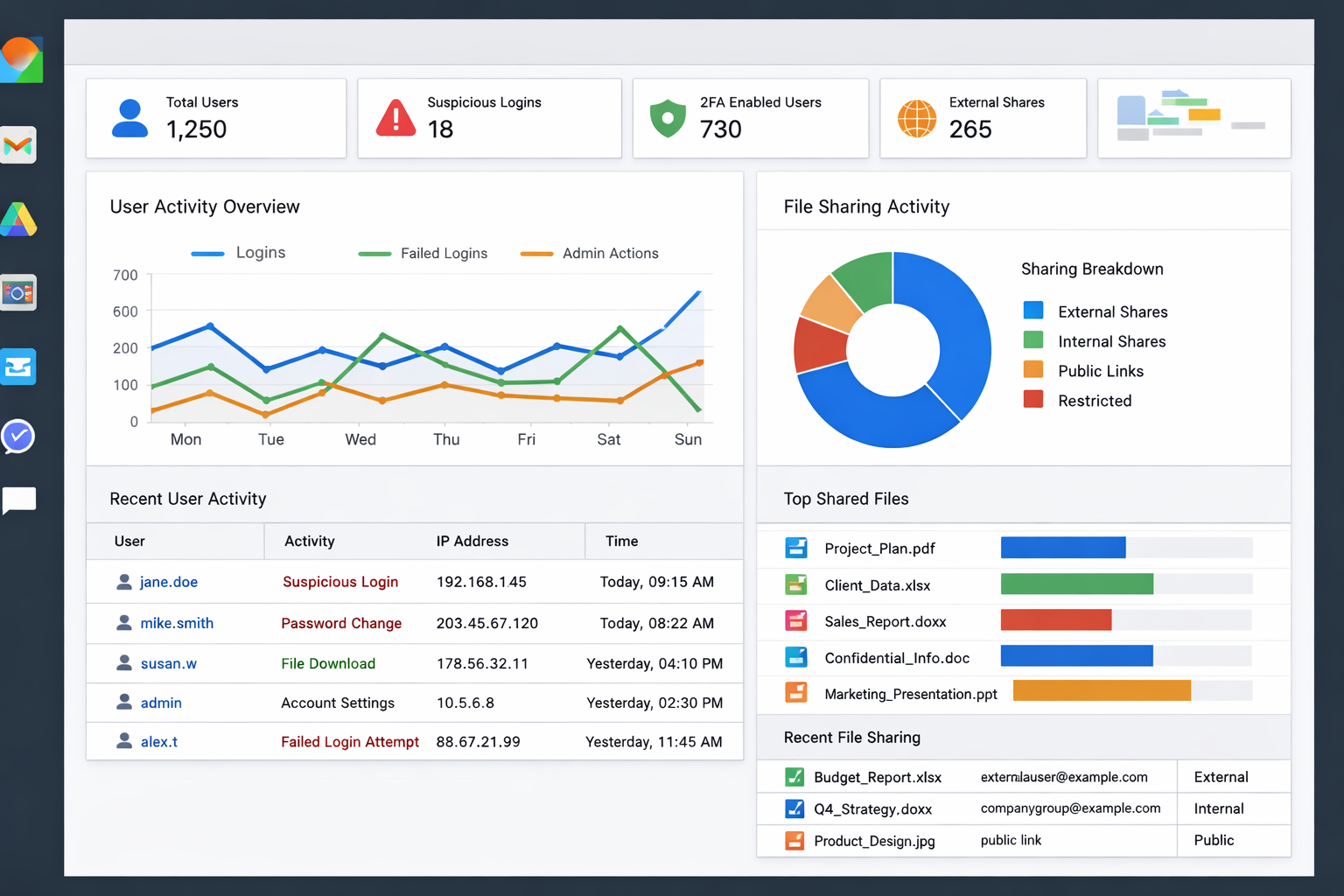
Setting storage quotas at the organizational unit or user level is the only way to prevent one person from consuming resources meant for the entire team. Inside the Google Admin console, you can establish default storage limits for different OUs and then set exceptions for specific users who legitimately need more space. The trick is being proactive about this rather than reactive. If you wait until someone has already uploaded 10TB of personal video files to their Drive, you're dealing with a much messier cleanup situation.
Monitor storage usage regularly and set alerts before you approach your pooled limit. Google provides storage reporting, but you need to actually review it and establish policies around what's acceptable. If someone in marketing consistently uses 5x more storage than their peers, that's worth investigating. Maybe they have a legitimate need for large video files, in which case you document it and adjust their quota. Or maybe they're treating Google Drive like personal cloud backup, which is a policy problem you need to address before it scales across your organization.
Mistake ignoring shared drive governance across Google Workspace editions
Shared drives don't care what license edition created them or who has access to them, but your governance policies should. When you have mixed licensing, you need clear rules about who can create shared drives, what naming conventions apply, and who owns them long-term. Without these standards, you end up with dozens of orphaned shared drives created by contractors on Business Standard licenses, drives with vague names like "Team Stuff," and no clear ownership when someone leaves the organization.
The bigger problem surfaces when permissions get messy across license tiers. Someone on a lower-tier license can still be made a manager of a shared drive that contains sensitive data, even if they don't have the security features or audit logging that should apply to that information. This creates compliance blind spots that are hard to track down later. You might have data loss prevention policies enforced on some users but not others, all accessing the same shared resources. Governance needs to happen at the shared drive level, not just at the user level, and that requires upfront planning about how shared resources work in a tiered environment.
Shared drive creation controls and ownership standards
Restrict shared drive creation to specific roles or organizational units rather than leaving it open to everyone in your domain. By default, any Google Workspace user can spin up a shared drive, which leads to sprawl and inconsistent management. You can disable this organization-wide and grant creation rights only to team leads, department heads, or IT admins who understand your governance requirements. This doesn't eliminate shared drives; it just ensures someone accountable is making the decision to create one.
Ownership standards matter more than most admins realize. Every shared drive should have at least two designated managers from your organization, never just one person who might leave or change roles. Establish a naming convention that identifies the department or team responsible (like "Finance-AR" or "Marketing-Campaigns") rather than vague generic names. Document who the business owner is separately from the technical managers, because when questions arise about whether a shared drive is still needed or what data belongs in it, you need someone who can make that call beyond just IT.
Mistake mismanaging license assignment across org units and groups
License assignment gets chaotic when admins don't establish clear rules about which organizational units get which editions. Some organizations try to handle everything manually, assigning licenses one person at a time as they onboard. Others use organizational units inconsistently, maybe putting sales under one OU structure and engineering under another, which makes it nearly impossible to apply licensing logic consistently. The result is a patchwork where similar roles end up with different license types depending on when they were hired or who processed their account.
Groups versus OUs add another layer of confusion that many admins don't think through. Organizational units determine which policies apply to users and provide a hierarchical structure, but they're not always the best way to manage license assignment if your teams cross departmental lines. Groups offer more flexibility for complex scenarios, but they require active maintenance to stay accurate. When someone changes roles, their group membership might not update automatically, leaving them on the wrong license tier for months. Without a systematic approach to how you assign and track licenses, you're constantly firefighting rather than managing proactively.
Automated licensing rules for onboarding and role changes
Tying license assignment to your HR system or identity provider creates consistency that manual processes can't match. When someone joins as a financial analyst, their role in your HRIS should trigger assignment to the appropriate organizational unit and license type automatically. The same applies when they get promoted or transfer departments. If you're relying on IT to remember to upgrade someone's license when they move from marketing to legal, you're building in failure points that will eventually create security or compliance gaps.
Most admins don't realize Google Workspace supports automated license assignment through APIs and third-party tools that sync with your source of truth for employee data. The key is defining clear mapping rules upfront: which job titles, departments, or role attributes correspond to which license editions. This requires collaboration between IT and HR to ensure the data you're pulling from is accurate and maintained. Once those rules are in place, license changes happen as part of the normal onboarding and role change workflow rather than as a separate manual task that someone might forget.
Mistake weakening security controls due to mixed edition capabilities
Security policies applied at the domain level don't automatically compensate for features that simply don't exist in lower-tier licenses. You might enable advanced phishing protections and assume everyone is covered, but those features only work for users on editions that support them. This creates a situation where your Business Standard users become the soft targets in your organization. Attackers don't care about your licensing structure; they'll find and exploit whoever has the weakest defenses.
The risk compounds when users collaborate across license tiers. A Business Plus user might share a document with someone on Business Standard, and suddenly that sensitive file lives outside the data loss prevention rules you thought were protecting it. Your security posture becomes only as strong as your lowest-tier license allows, unless you're extremely deliberate about compensating controls. Most organizations don't realize this until after an incident, when they discover that their tiered licensing created exploitable gaps in their security architecture that wouldn't exist with uniform licensing.
Minimum security baseline every Google Workspace user should meet
Every user in your domain should have multi-factor authentication enabled, regardless of their license edition. This isn't an advanced security feature; it's table stakes for protecting accounts. Beyond MFA, establish password policies, session length limits, and basic access controls that apply organization-wide. These foundational controls exist across all Google Workspace editions and should be non-negotiable even for your lowest-tier users.
The challenge comes with features that only exist in higher editions, like context-aware access or advanced mobile management. If you can't enforce these controls on everyone, you need compensating measures. That might mean restricting what data lower-tier users can access, limiting their ability to share externally, or placing them in organizational units with stricter default policies. The goal is ensuring that someone on Business Standard can't become a backdoor into sensitive systems just because they lack the security features your Enterprise users have. Define what your minimum acceptable security posture looks like, then figure out how to achieve it across all license types through a combination of available features and policy restrictions.
Mistake overlooking auditability and compliance requirements in a PDL setup
Audit logs and compliance reporting capabilities vary significantly across Google Workspace editions, but regulatory requirements don't adjust based on your licensing choices. If you're subject to HIPAA, GDPR, or financial regulations, you need complete audit trails for all users who touch regulated data. When some of your users sit on editions with limited logging while others have full Vault and audit capabilities, you're creating gaps in your ability to demonstrate compliance. An auditor asking for a complete record of who accessed specific files won't accept "we couldn't log that because those users were on Business Standard" as an answer.
The problem often doesn't surface until you actually need those logs for an investigation, legal hold, or compliance audit. By then, the data is either gone or was never captured in the first place. If your compliance framework requires retention of email for seven years, but only your Enterprise users have that retention applied through Vault, you're not actually compliant as an organization. You need to map your compliance obligations to your licensing structure before you deploy, not after. That might mean more users need higher-tier licenses than you initially planned, or it might mean implementing third-party tools to fill the gaps, but ignoring the issue doesn't make the compliance risk disappear.
Next steps for a clean Google Workspace PDL rollout with Suitebriar
Getting tiered licensing right requires upfront planning around storage, security, governance, and compliance before you start assigning licenses. Map your users to features based on actual needs and risk, establish clear policies for shared resources, and build automation that keeps license assignments aligned with role changes. If you're ready to implement mixed editions without the common pitfalls, Suitebriar helps organizations design and deploy Google Workspace licensing structures that balance cost efficiency with security and compliance requirements. The goal isn't just cheaper licensing; it's a sustainable approach that scales as your organization grows.
.png?width=150&height=150&name=Google%20Workspace%20admin%20console%20showing%20mixed%20edition%20licensing%20and%20storage%20usage%20(1).png)