

Google Just Simplified it’s SPF record


If you’ve ever wrestled with the strict 10-DNS-lookup limit for SPF records, you know the struggle. You want to authorize your marketing platforms, your CRM, and your internal tools, but you hit that ceiling fast.
Well, I have some excellent news. Google has quietly rolled out a significant update to their default SPF record that is going to make life a lot easier for IT admins and engineers everywhere.
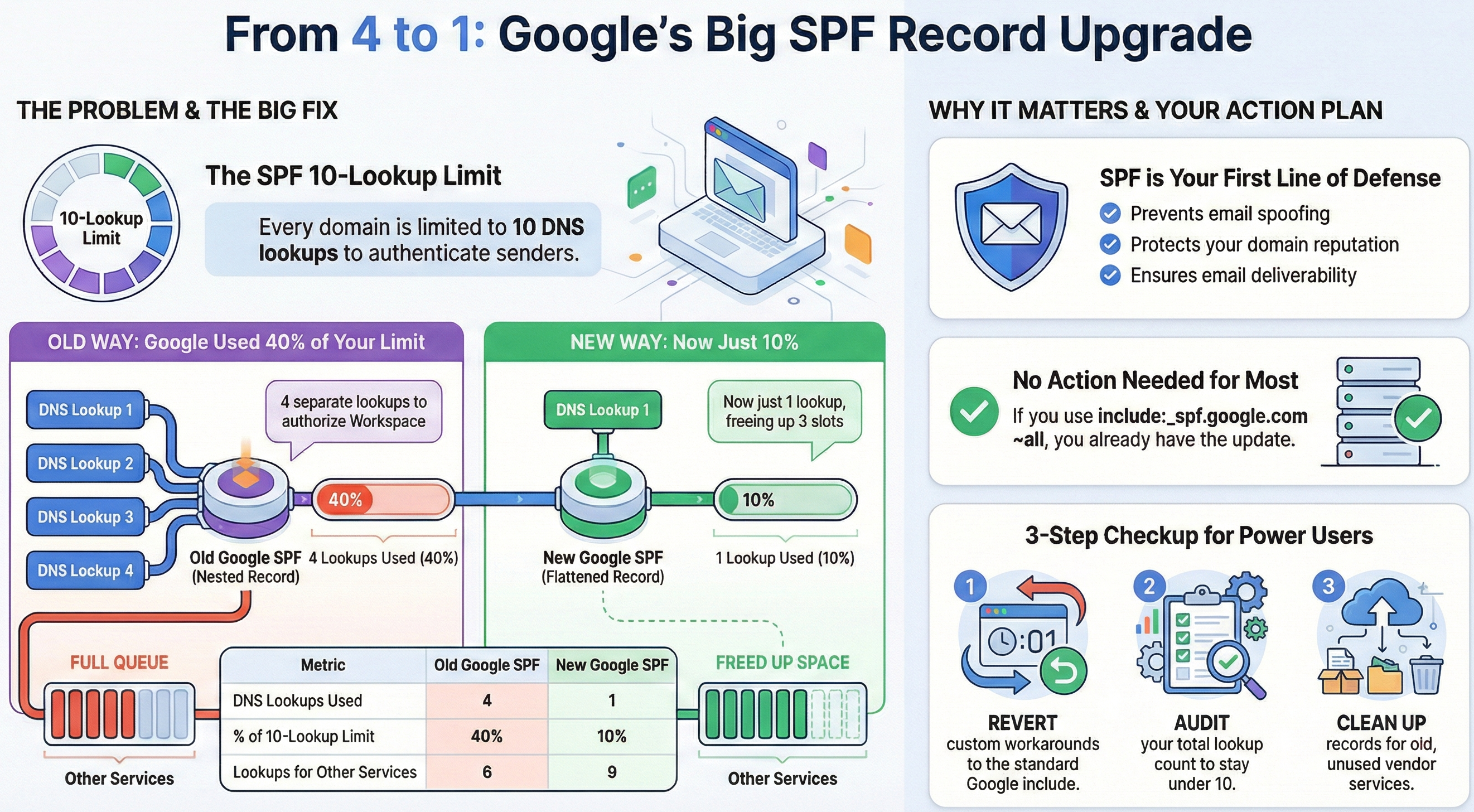
Effective December 2025, Google updated their primary SPF record (_spf.google.com) to reduce its DNS lookup count from 4 to 1.
This might sound like a minor technical tweak, but in the world of email deliverability, it’s a massive win for efficiency and stability. Let’s dive into what changed, the history behind it, and why SPF remains a non-negotiable for your business.
The Change: From Nested to Flat
For over a decade, Google’s SPF record was a "nested" structure. When you included _spf.google.com in your domain’s DNS, it didn’t just list IP addresses. Instead, it triggered three additional lookups to other records (_netblocks.google.com, _netblocks2.google.com, and _netblocks3.google.com).
Old Structure (4 Lookups):
- Lookup 1: _spf.google.com → points to 3 includes.
- Lookup 2: include:_netblocks.google.com
- Lookup 3: include:_netblocks2.google.com
- Lookup 4: include:_netblocks3.google.com
New Structure (1 Lookup): Google has "flattened" this record. Now, when you query _spf.google.com, it returns the authorized IP ranges directly in a single response.
Why This Matters
The SPF protocol limits every domain to 10 DNS lookups total. Before this update, just authorizing Google Workspace ate up 40% of your budget. Now, it only consumes 10%. That frees up valuable space for other critical tools like Salesforce, HubSpot, SendGrid or many more without breaking your email authentication.
Back to Basics: What is SPF?
If you are new to the Google Workspace ecosystem, you might be asking: Why do I need this record in the first place?
SPF (Sender Policy Framework) is essentially a guest list for your domain. It is a DNS text record that tells the world which mail servers are authorized to send email on your behalf.
When you send an email to a client, their security server looks at your domain and asks: "Is the server sending this email on the list?"
- Yes: The email is accepted.
- No: The email is flagged as spam or rejected entirely.
Why It Is a "Must-Have" for Every Business
At Suitebriar, we treat SPF as the foundation of your "Zero Trust" email strategy. Here is why you cannot ignore it:
- Prevent Spoofing: Without SPF, anyone can pretend to be ceo@yourcompany.com. Hackers use this to trick your employees or clients into wiring money or sharing passwords.
- Protect Your Reputation: If spammers use your domain, your "domain reputation" tanks. Eventually, even your legitimate emails will start landing in the Spam folder.
- Deliverability: Google and Yahoo now strictly enforce authentication. If you don't have SPF (along with DKIM and DMARC) set up, your emails simply won't get delivered.
What You Need to Do
For most customers who followed the standard "Suitebriar Way" configuration, no action is required.
If your SPF record looks like this: v=spf1 include:_spf.google.com ~all, you automatically benefit from the update. Google handles the changes on their end.
However, check your records if:
- You manually "flattened" your SPF record in the past to save lookups.
- You explicitly listed _netblocks.google.com in your DNS to work around limits.
If you did either of these, your record is now outdated and potentially broken. Revert to the standard include:_spf.google.com to ensure you stay current.
Google Workspace Customer Engineering Suggestions
- Audit Your Lookup Count: Even with this reduction, it is best practice to periodically check your total lookup count. Tools like dig or online SPF validators can confirm you are well under the limit of 10.
- Implement DMARC: SPF is only one piece of the puzzle. If you haven't already, move toward setting up a DMARC record (_dmarc.yourdomain.com) to actually enforce what happens when SPF fails.
- Clean Up "Shadow IT": Use this opportunity to review your SPF record for old vendors. If you see an include: for a marketing tool you stopped using two years ago, remove it. It’s a security risk.