
Setting Up Google Workspace with Advanced Identity Management and SSO Integration


A modern Google Workspace setup service is no longer just about provisioning user accounts and turning on Gmail. A complete Google Workspace setup service today has to wire in identity management, single sign-on, zero-trust access policies, and security guardrails that hold up against current threats.
Get this layer right, and the rest of the platform runs smoothly. Get it wrong, and the organization spends months untangling shadow accounts, broken integrations, and audit findings. This article walks through how to plan the identity and SSO architecture for Google Workspace, where the common stumbling blocks appear, and how Suitebriar structures these deployments for organizations that need security and usability to coexist.
Why Identity and SSO Are the Foundation of a Workspace Deployment
Identity is the single thread that connects every Google Workspace feature to its user. If that thread is weak, every other security control inherits the weakness. A strong identity foundation, on the other hand, makes downstream policies for access, sharing, and data protection easier to implement and easier to defend in audits.
Single sign-on extends that foundation by letting users authenticate once and reach every approved application without juggling passwords. SSO reduces help desk volume, eliminates entire categories of phishing risk, and improves the user experience to the point that compliance teams stop fighting adoption. The trade-off is that SSO concentrates risk in the identity provider, which is why the deployment design has to include strong authentication, conditional policies, and monitoring from day one.
A properly executed Google Workspace setup & deployment treats identity and SSO as design decisions made before any user gets provisioned. Suitebriar, a Google Cloud Premier Partner and Google Workspace reseller, has built this foundation for more than 1,000 organizations, and the pattern that works tends to look the same regardless of industry. Get the identity architecture right first, then layer the rest of the platform on top of it.
Skipping this discipline is one of the most expensive mistakes a deployment can make. Teams that provision users first and address identity later end up with duplicate accounts, inconsistent attribute mapping, and SSO connections built around exceptions rather than rules. Cleaning that up after the fact often takes months, sometimes requires user-visible changes to email addresses or display names, and almost always erodes the trust the IT team needs from the rest of the organization. The cost of slowing down at the start is small compared with the cost of rebuilding identity halfway through a rollout.
Key Decisions Before You Provision the First User
A short list of choices made early shapes the deployment for years afterward. Each one deserves real attention rather than a default selection accepted without discussion.
Identity Provider and Directory Source
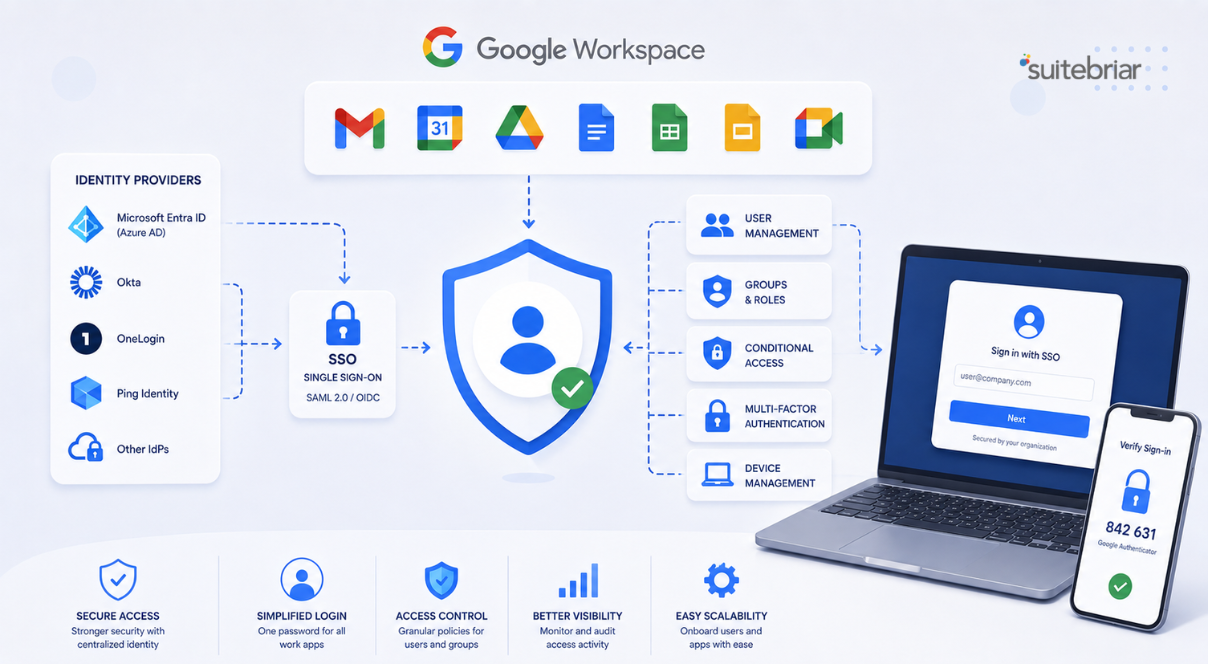
Google Workspace can act as its own identity provider or sit downstream of an existing one, such as Okta, Microsoft Entra ID, or Ping. The decision usually depends on what the organization already runs for other SaaS applications. Organizations consolidating around Google Workspace as the primary tool often promote Cloud Identity to the directory source. Organizations with deep existing investments in another IdP typically federate Google Workspace into that stack. Either way, the choice needs to be deliberate.
Provisioning and Lifecycle Management
How users get created, updated, and deactivated matters more than most teams realize during planning. SCIM-based automated provisioning from the source of truth is the goal. Manual provisioning works for very small organizations but breaks down quickly as headcount grows. Lifecycle automation is especially important for deactivation, since orphaned accounts are one of the most common findings in a Google Workspace security audit and one of the easier issues to prevent during initial setup.
Multi-Factor Authentication Strategy
MFA is non-negotiable for any modern Workspace deployment. The real question is which factors to require, for which user groups, and under what conditions. Hardware security keys remain the strongest option for administrators and high-risk roles. App-based prompts work well for general users. The plan should specify enrollment timelines, exception handling, and recovery procedures before the first user gets enrolled.
Designing the SSO Architecture
Once identity is settled, SSO design follows. The goal is a clean, observable flow where every login passes through the right checkpoints and every approved application is reachable from a single dashboard.
For organizations using a third-party IdP, SAML federation with Google Workspace acting as the service provider is the standard pattern. The IdP handles authentication, applies MFA and conditional policies, and asserts identity to Google. For organizations using Cloud Identity as the primary source, Google Workspace acts as the IdP for other SaaS applications, federating outbound to apps like Salesforce, Slack, or HRIS systems. The same SAML or OIDC plumbing applies, just with the roles reversed.
Context-Aware Access then layers on top of either pattern to apply policies based on user identity, device security posture, IP address, and location. For example, sensitive data access can be restricted to managed, encrypted devices, while routine email access works from any approved location. Suitebriar implements these policies as part of its broader beyondcorp enterprise implementation work, which extends zero trust principles across the Workspace estate.
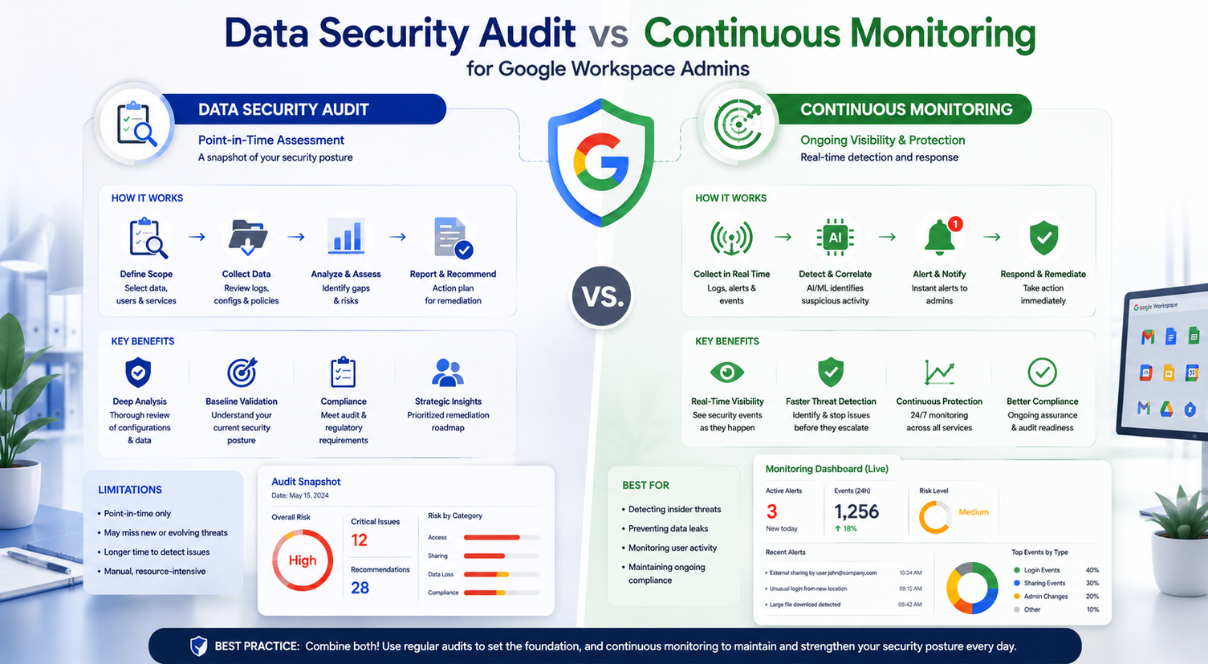
Monitoring is the piece that often gets shortchanged in SSO design. Every authentication event generates a log entry, and those logs become the single best forensic resource when something goes wrong. The deployment should route Workspace audit logs and IdP authentication logs into a SIEM or other central log platform from day one, with alerts configured for suspicious patterns such as impossible travel, repeated failed attempts, or logins from unexpected geographies. This work is far easier to do at deployment time than to retrofit later, and it pays back the moment a security incident requires investigation.
Security Hardening That Should Ship with Every Deployment
A deployment is not complete the moment users can log in. A complete rollout includes the security controls that make Workspace defensible at audit time and resilient against real-world threats. Several items belong in every project plan rather than being deferred to a future hardening phase.
Sharing settings deserve early attention. Defaults that allow external sharing without warning create data exposure risk almost immediately. The configuration should match the organization's data classification scheme, with elevated controls on units handling regulated data. Data loss prevention rules should be defined for the most sensitive data types before users start populating Drive with files. Google Workspace cybersecurity & hardening also extends to mobile device management, where policies for company-owned and bring-your-own devices need to be set in Endpoint Management before mobile access opens up.
Vault deserves a place in the initial scope as well. Setting retention and litigation hold policies after the fact is significantly harder than getting them right at the start. Admin role assignments should follow least-privilege principles, with super-admin access limited to a small group and routine work delegated through more granular admin roles. Logging and alerting should be in place before go-live so the security team has visibility from the first day rather than scrambling to enable it after an incident. These steps look like a long list, but they all sit within Workspace's native capabilities and do not require third-party tools to implement well.
Rolling Out Without Disrupting the Business
The technical design has to be paired with a rollout plan that respects how the business actually operates. The most elegant identity architecture fails if users cannot authenticate on Monday morning, and the cleanest SSO setup loses adoption if executives encounter friction that the IT team did not anticipate.
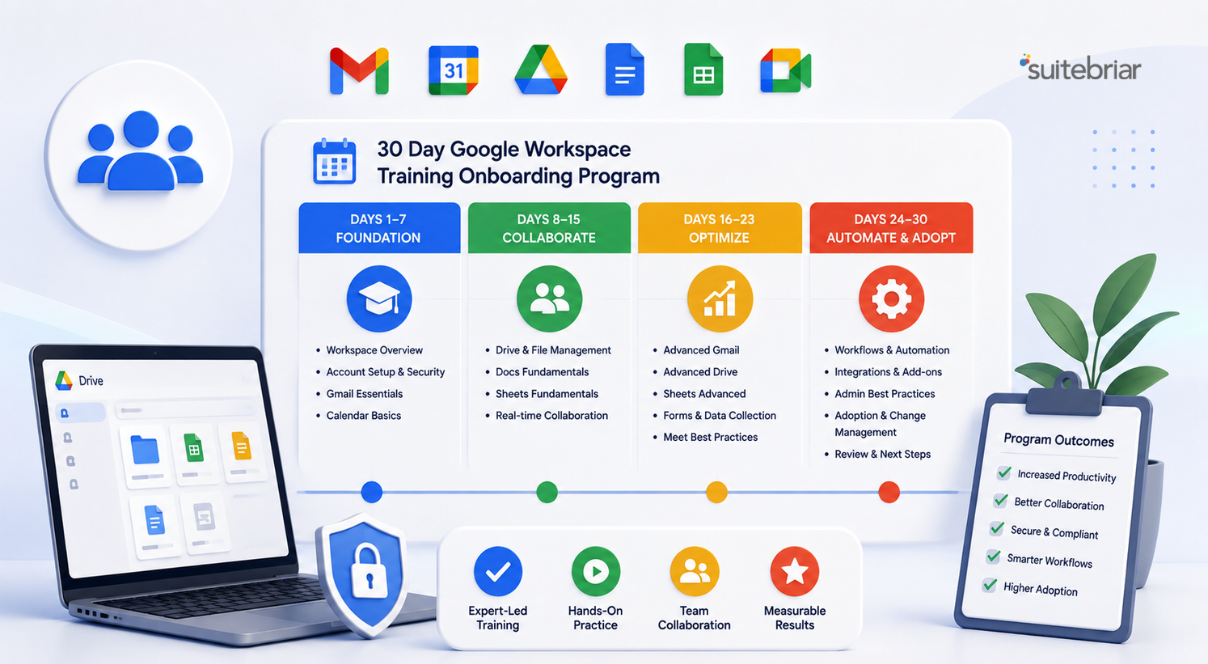
A staged rollout almost always works better than a flip-the-switch cutover for organizations above a few hundred users. Start with IT and a willing pilot business unit. Capture the issues that arise. Refine documentation and runbooks. Then expand in waves with named owners on the business side who can field questions from their teams. Communication should explain the why and the how, with explicit instructions for first-time SSO use, MFA enrollment, and where to get help. Suitebriar pairs this kind of rollout with Google Workspace admin training so internal admins can confidently manage the platform after handoff.
End-user enablement matters just as much. People do not need a Workspace certification, but they do need short, focused guidance on the changes that affect them. A few well-produced quick-start videos and a clear help channel cover the majority of day-one questions. The result is a rollout that feels managed rather than chaotic, which protects the goodwill the IT team needs for the next phase of the transformation. Investing the time in this layer pays off again and again as new applications come online and the SSO estate expands.
Key Takeaways
• Identity and SSO are the foundation of a Google Workspace deployment, and the architecture decisions made early shape every downstream control.
• Decide on identity provider, provisioning model, and MFA strategy before provisioning the first user so the deployment scales cleanly.
• SAML federation with Context-Aware Access layered on top is the standard pattern, and it works whether Google Workspace acts as the IdP or the service provider.
• Security hardening, including sharing defaults, DLP, MDM, Vault, and admin role design, belongs in the initial scope rather than a deferred future phase.
• Staged rollouts with clear communication, admin training, and end-user enablement protect adoption and reduce help desk pressure on day one.
• Planning a Google Workspace deployment with advanced identity and SSO? Contact Suitebriar to scope a setup designed for your security and business requirements.
TLDR
A modern Google Workspace setup service has to weave identity management, SSO, zero-trust access, and security hardening into a single, coherent deployment rather than treating them as separate projects. The decisions that matter most happen before the first user is provisioned, and the rollout plan determines whether adoption goes smoothly or stalls. Suitebriar, a Google Cloud Premier Partner and Google Workspace reseller, has executed this work for more than 1,000 organizations, including security audits, BeyondCorp Enterprise implementations, and admin training. Contact the team to start scoping a Workspace setup built for current security expectations.

.png?width=150&height=150&name=Blog%20Slide%20(1).png)