

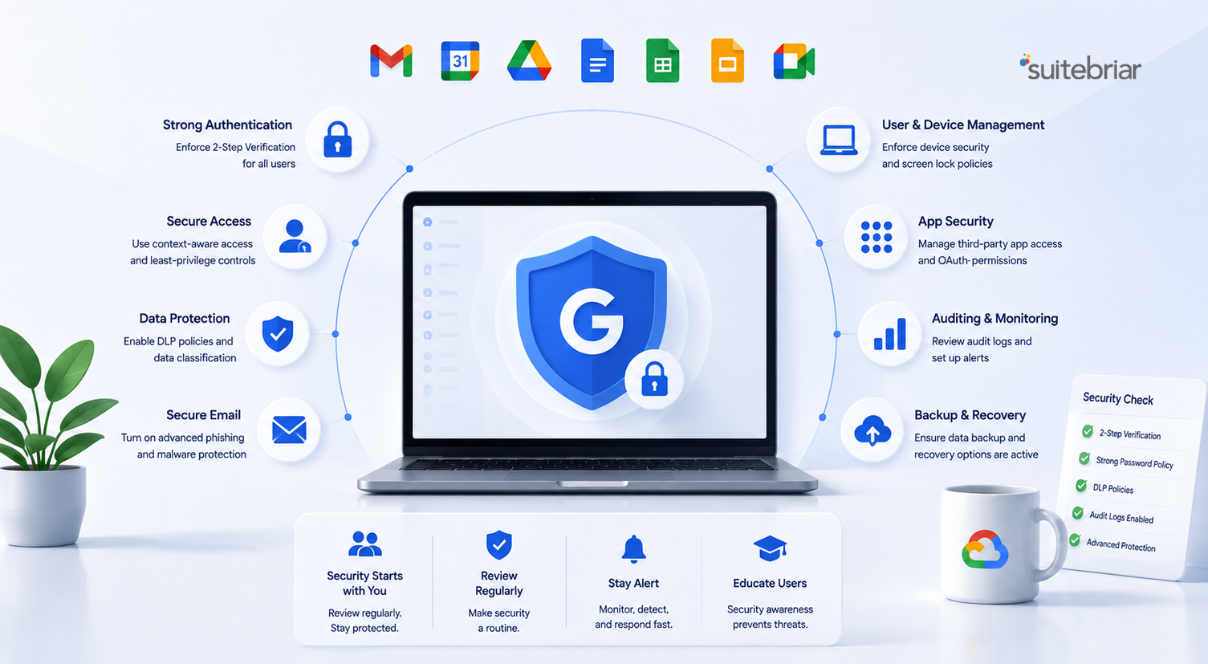
Google Workspace Security Best Practices Every Admin Should Verify


Strong Google Workspace security best practices are not a one-time setup task; they are a checklist an administrator should revisit regularly as the organization grows and threats evolve.
Even a well-run Google Workspace environment can drift into risky configurations when sharing settings, access controls, and device policies go unreviewed for months. This article walks through the security areas every admin should verify, from user access and data loss prevention to zero trust access and compliance retention. Each section reflects the work Suitebriar's security engineers perform during a formal review, so you can use it as a practical guide to check your own posture before a gap becomes a breach.
Start With a Structured Security Audit
The most reliable way to know where you stand is a structured review rather than a guess. A Google Workspace security audit evaluates your security settings, processes, and procedures so vulnerabilities and potential points of data exfiltration are surfaced before an attacker finds them. Suitebriar's security engineers conduct an in-depth review of critical settings and produce a customized report that prioritizes actionable recommendations by risk level.
An audit is valuable precisely because it is comprehensive and unbiased. It examines user access controls, sharing settings, data loss prevention configurations, mobile device management policies, and alignment with industry standards. For organizations without an in-house IT professional, this kind of external review often catches issues that internal teams overlook simply because they are too close to the daily operation. The output is not a vague list of concerns but a tailored remediation plan that tells you what to fix first. Treat the audit as your baseline: everything that follows in this article maps to a category an audit will scrutinize.
The remediation plan matters as much as the findings. A list of problems without priorities can overwhelm a small team and lead to nothing getting fixed. By ranking recommendations by risk level, Suitebriar's report tells an admin where to spend limited time first, so the most dangerous gaps close before the minor ones. This is also why an audit is worth repeating rather than treating as a single event. Configurations drift, new users join, sharing habits change, and a setting that was safe six months ago may now expose data. Scheduling periodic reviews keeps your security posture aligned with how the organization actually works today rather than how it worked when the environment was first deployed.
Verify User Access and Context-Aware Controls
Access control is the foundation of Workspace security, and it is the first place configuration drift appears. Administrators should confirm that the right people have the right level of access and nothing more. This means reviewing admin roles, removing dormant accounts, and enforcing strong authentication across the organization.
Google Workspace also offers Context-Aware Access, which lets administrators build granular policies based on user identity, device security status, IP address, and location. For example, you can require that sensitive data only be accessed from company-owned devices that are encrypted and password-protected, or restrict certain applications based on geographic location.
What to Check in Access Policies
When you verify access, look at a few specific things. Confirm that context-aware policies evaluate device posture before granting access, not just credentials. Check that conditional rules apply to your most sensitive applications first. Suitebriar can help design and implement Context-Aware Access policies that balance security requirements with user productivity, so controls protect data without frustrating the people who need to do their jobs.
Confirm Data Loss Prevention Is Active
Sensitive information leaves organizations through ordinary channels: an email, a shared file, a browser upload. Verifying that data loss prevention is configured is one of the highest-value checks an admin can perform. Google Workspace includes built-in DLP capabilities, and Suitebriar specializes in implementing rules that detect and prevent sensitive data leakage across emails, files, and uploads.
The practical question is whether your rules actually do something when triggered. Well-designed DLP can audit, warn, or block inappropriate sharing depending on the policy you set. With BeyondCorp Enterprise implementation, that protection extends into the Chrome browser using predefined content detectors for data types like credit card numbers and social security numbers. An admin verifying DLP should confirm that detectors cover the data their organization actually handles, that the chosen action matches the sensitivity of the content, and that rules are tested rather than assumed to be working. Configuring DLP once and never revisiting it is a common and avoidable gap.
Adopt Zero Trust With BeyondCorp Enterprise
Traditional security assumes anything inside the network perimeter is trusted and everything outside is a threat. That binary model no longer fits a cloud-first, remote-friendly workplace. Zero trust replaces it by assuming no user or device is inherently trustworthy, granting access only after continuous verification of identity, device posture, and context.
Suitebriar specializes in BeyondCorp Enterprise as Google's implementation of zero trust, which eliminates the need for traditional VPNs by shifting access decisions from the network perimeter to individual users and devices. It enables employees to work securely from any location and includes threat and data protection features such as malware protection and Chrome DLP rules.
Moving From VPN to Zero Trust
If your organization still relies on a VPN, verifying your readiness to modernize is itself a best practice. Suitebriar guides organizations through the full transition, including assessment of the current architecture, planning the deployment, configuring Context-Aware Access, setting up endpoint verification, and implementing Identity-Aware Proxy for on-premises and cloud applications. The goal is a smooth shift with minimal disruption, so security improves without halting day-to-day work.
Validate Compliance and Data Retention With Google Vault
Security and compliance overlap, and admins in regulated industries should verify that retention and discovery are properly configured. Google Vault is an information governance and eDiscovery tool that helps organizations retain, hold, search, and export data from Workspace to meet legal and compliance requirements.
A compliance check should confirm that retention policies exist for the services your organization uses, including Gmail, Drive, Chat, Groups, and Voice. It should also verify that litigation holds can be placed on user accounts when needed and that data can be exported for audits or legal proceedings. Suitebriar helps implement Google Vault, configure retention policies aligned to specific industry regulations, and train teams to use Vault effectively. For organizations pursuing Google Workspace HIPAA compliance or similar standards, this verification step is not optional. Retention misconfigurations are easy to miss and costly to discover during an actual legal request, which is why a periodic review matters. A practical compliance check also confirms who in the organization holds the rights to run Vault searches and exports, since over-broad access to discovery tools is its own risk. Verifying that retention rules, holds, and access permissions all line up with your regulatory obligations turns Vault from a tool you own into a control you can actually rely on.
Equip Admins Through Training and Workshops
Security tools only work when the people managing them know how to use them. Verifying that your admin team has current knowledge is as important as verifying any single setting. Suitebriar provides Google Workspace admin training that teaches administrators to manage users and devices, control access to services, configure security settings, monitor daily operations, and respond to incidents.
Training options range from onboarding orientation to multi-day workshops and can be customized to your environment. Beyond formal training, Suitebriar's Cloud Security Workshops bring certified experts together with your team to review your current configuration, identify vulnerabilities, implement best practices, and build a customized security strategy. These workshops cover zero trust principles, BeyondCorp implementation, data loss prevention, mobile device management, security center tools, and compliance. An admin team that revisits its skills regularly is far better positioned to keep the verification habits in this article alive over time.
Review Mobile Device and Endpoint Policies
A growing share of Workspace activity happens on phones and tablets, which makes mobile device management one of the easier areas to neglect and one of the more important to verify. Sensitive data accessed from an unmanaged or compromised device can undermine every other control you have configured. Suitebriar's security audit specifically examines mobile device management policies as part of its review, which signals how central endpoint posture has become to a sound security strategy.
When you verify endpoint policies, focus on the points where data and devices meet. Context-Aware Access can require that sensitive data only be reached from company-owned devices that are encrypted and password-protected, which ties device posture directly to access decisions. BeyondCorp Enterprise adds endpoint verification to confirm a device meets your standards before it connects, and extends data loss prevention into the Chrome browser so uploads and downloads are governed by policy. An admin checking this area should confirm that device requirements match the sensitivity of the data being accessed, that lost or stolen devices can be handled quickly, and that policies cover the full range of devices employees actually use. Endpoints are where modern work happens, so they deserve the same scrutiny as any server or account.
Key Takeaways
- A structured Google Workspace security audit gives you a prioritized baseline by reviewing access controls, sharing, DLP, and device policies against risk level.
- Verify user access regularly and use Context-Aware Access to base permissions on identity, device posture, IP address, and location rather than credentials alone.
- Confirm that data loss prevention rules are active and tested across email, files, and the Chrome browser, with actions matched to the sensitivity of the data.
- Adopting BeyondCorp Enterprise Zero Trust removes reliance on VPNs and verifies every access request individually, which suits remote and BYOD workforces.
- Validate Google Vault retention and eDiscovery settings to support compliance obligations, and keep admin skills current through training and workshops.
- To verify your environment against these best practices with certified engineers, contact Suitebriar to schedule a security audit or workshop.
TLDR
Google Workspace security is a habit, not a one-time configuration, and admins should periodically verify the settings that protect their data. Start with a structured security audit to get a risk-prioritized baseline, then confirm user access and Context-Aware Access policies, validate that data loss prevention is active and tested, and consider BeyondCorp Enterprise zero trust to replace aging VPNs. Round it out by checking Google Vault retention for compliance and keeping admin skills sharp through training. Suitebriar's security engineers perform exactly these reviews, so each section here doubles as a checklist you can act on today.





.png)